How to Track Attendance for Field Teams: GPS, Mobile, and Digital Verification
September 8, 2026 | By Gopareto Marketing
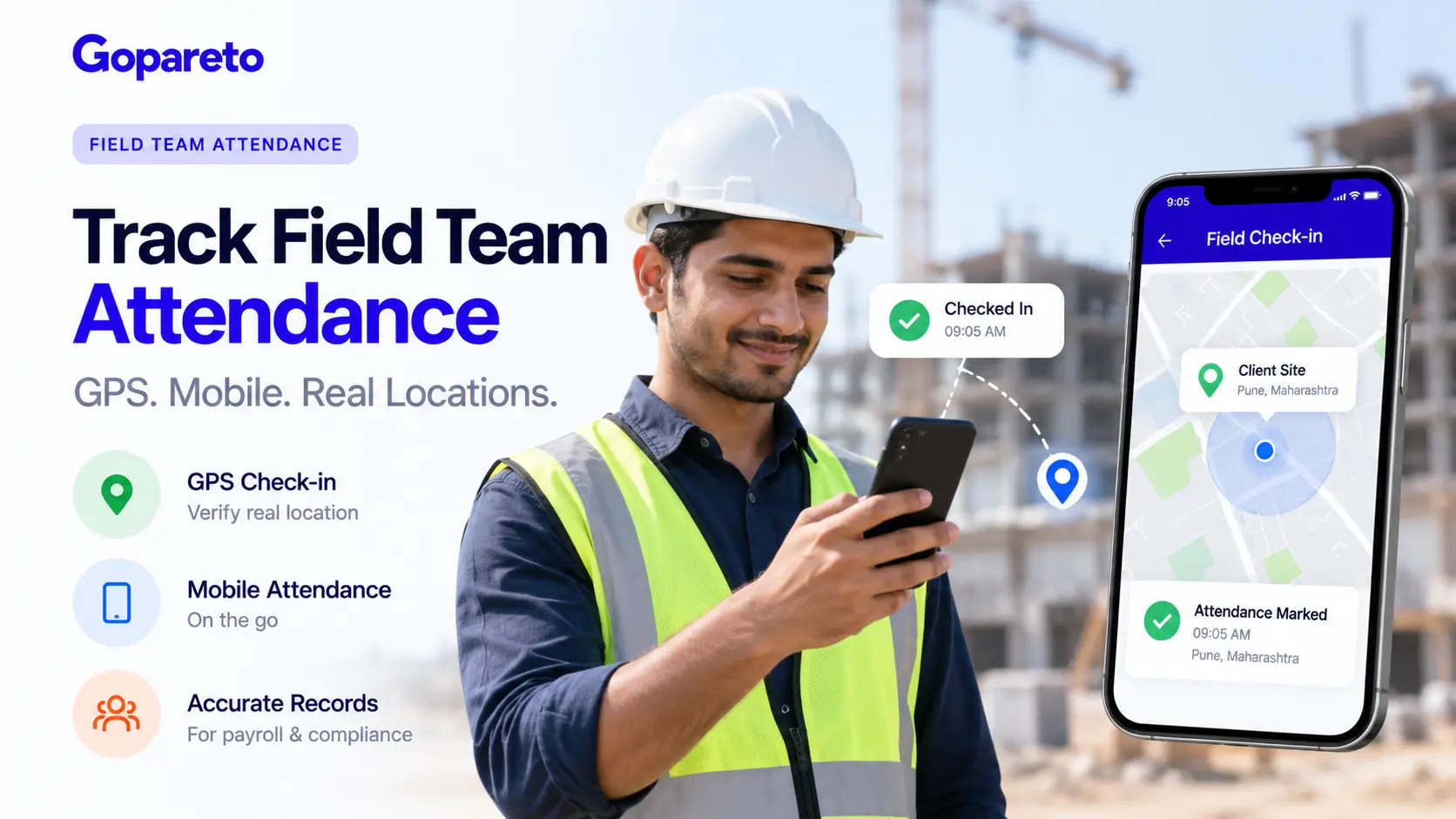
Field teams operate differently than office-based workers. They’re on construction sites, client offices, retail locations, or out in the field. Traditional office-based attendance tracking doesn’t work for them.
Yet tracking attendance for field teams accurately is critical for payroll, compliance, and operational management. This guide shows you how to implement a system that gives you accurate attendance data without micromanaging your team.
Why Attendance Tracking for Field Teams Is Different
Field teams present unique challenges:
Employees work at various client sites, project locations, or service areas. You can’t rely on a central office clock.
Field workers often have different shift times depending on client needs or project requirements.
A single employee might work at different locations on different days.
You need to verify they’re where they say they are, but they also value privacy. Excessive surveillance damages morale.
Not all field locations have reliable internet, making online check-ins unreliable.
Many jurisdictions require documented proof of hours for payroll and tax purposes.
The solution is a system that balances verification with trust.
How to Track Attendance for Field Teams: Step-by-Step
1. Establish Clear Attendance Policies for Field Workers
Start with a clear policy specific to field operations:
Your policy should cover
- When and how field workers check in (at client site, before leaving office, or via mobile app)
- What constitutes a valid check-in (GPS location, photo, QR code scan, etc.)
- Time windows for check-in/check-out (must check in within 5 minutes of shift start, for example)
- Consequences for late arrival or no-show
- How location changes are communicated
- Approval process for time adjustments
- Procedures for connectivity issues (if internet is down, what do they do?)
Communicate this clearly to field teams. They should know exactly what’s expected.
2. Choose a Mobile Attendance System
Paper timesheets and manual tracking don’t work for field teams. Implement a mobile-first system.
Key features to look for:
GPS Verification
- Employees check in via mobile app
- GPS location is recorded automatically
- You can verify they’re at the location they claim
- Helps with fraud prevention (employee can’t claim to be at work from home)
Offline Capability
- Mobile app works even without internet
- Data syncs when connectivity returns
- Field workers aren’t stuck if connectivity drops
Photo Verification
- Employee takes a photo at job site for check-in
- Provides visual proof they were there
- Works in areas with poor GPS (indoors, underground)
- Can timestamp the photo
QR Code Scanning
- Supervisor places QR codes at job sites
- Field workers scan to check in
- Ensures they’re at the actual location
- Eliminates forgetting to check in
Real-Time Dashboard
- Managers see who’s checked in, where they are, and when
- Identify no-shows immediately
- Alert if someone checks in late
Integration with Payroll
- Check-in times feed into payroll automatically
- Hours are calculated correctly
- No manual data entry errors
3. Communicate the Verification Method to Your Team
Transparency builds trust. Explain why you’re tracking and how.
What to communicate
- Why accurate attendance matters (payroll accuracy, compliance, customer service)
- How the system works (GPS, photos, QR codes)
- What data is collected and how long it’s kept
- Who can see the data (manager, HR, not the whole company)
- Privacy protections (location data isn’t used for surveillance outside work hours)
- How they’ll be treated fairly (no punishment for technical issues)
Frame it positively: "This system ensures you get paid accurately and on time. It protects both you and the company."
4. Implement GPS Check-In With Privacy Boundaries
GPS is the most common method, but it requires careful implementation to respect privacy.
Best practices:
Determine acceptable accuracy. "Within 500 meters of the job site" is reasonable; "must be within the exact GPS coordinates" is excessive.
Allow a reasonable grace period. Check-in must happen within 5-10 minutes of shift start, not exactly on time.
Make clear that GPS data is only collected during work hours. Don’t track employees after they clock out.
Build in exceptions for technical issues. If GPS fails, allow manual check-in or photo instead.
Don’t use GPS to track bathroom breaks or brief off-site activities. Use it only for job site verification.
When you set reasonable boundaries, field teams accept GPS tracking as fair. When you’re excessive, you’ll face resistance and morale issues.
5. Add Photo Verification for Challenging Environments
Some work locations have poor GPS coverage (indoors, underground, deep in buildings). Use photo verification instead.
How photo verification works
- At check-in, employee takes a photo (selfie or job site photo)
- Photo is timestamped and geotagged if possible
- Manager can visually confirm the employee was there
- Photo is kept as record
Advantages
- Works indoors where GPS fails
- Visual proof of presence
- Quick process (takes 5 seconds)
- Double verification if combined with GPS
Privacy considerations
- Make clear that only face/location photos are needed, not random photos
- Don’t require photos in bathrooms or private areas
- Don’t use photos for anything other than attendance verification
- Delete photos after the payroll period (or shorter)
Photo verification, when done respectfully, is well-accepted by field teams.
6. Set Up QR Code Verification at Fixed Locations
If your field teams work at regular job sites, QR code verification provides foolproof check-in.
How it works
- Supervisor prints a QR code for each job site
- QR code is posted at the site entrance
- Field workers scan the QR code to check in
- System records: time, location (from QR code), and employee
Advantages
- Can’t fake location (can’t scan code from elsewhere)
- Fast process (1-2 seconds)
- Works offline with a smartphone
- No privacy concerns (just a code, no GPS)
Best for: Construction sites, retail locations, service centers, delivery routes with fixed stops
Implementation
- Create unique QR code for each job site
- Update codes seasonally or when location changes
- Keep backup physical codes at site
- Post codes in obvious locations
7. Handle Connectivity Issues Gracefully
Field work often happens in areas with poor internet. Have a backup process.
If connectivity fails
- Mobile app stores check-in data locally
- Employee checks in normally (the app works offline)
- When connectivity returns, data syncs to the system
- No data is lost, no gap in attendance
For areas with persistent poor connectivity
- Use offline-first mobile app (prioritizes local storage)
- Provide backup check-in method (SMS, call-in, paper)
- Understand that real-time reporting might be delayed
- Plan payroll cutoff to allow time for data sync
Don’t penalize employees for connectivity issues beyond their control. Make it clear in your policy.
8. Establish Clear Rules for Late Arrivals and Absences
With a mobile attendance system, you can enforce policies consistently.
Define
- Grace period (how late can they be and still be marked on time? 5 minutes, 10 minutes?)
- Partial hour payment (if they’re 15 minutes late, do they get paid for a quarter-hour less?)
- Consequences for repeated lateness (warnings, disciplinary action)
- Absence protocol (if they don’t check in, what happens?)
- Excused vs. unexcused absence (how is this determined?)
Communicate clearly: Field teams should know that habitual lateness or no-shows have consequences, and what those are.
9. Train Managers on Fair Enforcement
Managers are responsible for fair, consistent enforcement. Provide training.
Managers should know
- How to use the attendance system
- How to investigate discrepancies (maybe the employee’s phone died)
- How to handle exceptions fairly
- How to discuss attendance issues with employees
- Confidentiality (don’t broadcast who was late)
- Fairness (apply policies consistently)
Provide training when
- Implementing the system
- Onboarding new managers
- After disputes or complaints
- Periodically (annual refresher)
10. Reconcile Attendance With Payroll Monthly
Attendance data and payroll must match. Reconcile them regularly.
Monthly reconciliation process
- Export attendance data from the system
- Compare with payroll records
- Investigate discrepancies (time adjustments made? Absences unpaid?)
- Correct errors before payroll runs
- Document corrections
Common discrepancies
- Time adjustments made by managers (e.g., gave extra paid break)
- Sick days marked after fact
- Location check-in before/after shift (should not be paid)
- System errors (GPS failure, failed sync)
When you reconcile regularly, errors are caught early and corrected.
Common Mistakes in Field Team Attendance Tracking
Excessive surveillance
Tracking every movement all day feels invasive. Define clear check-in points (job site arrival/departure) rather than continuous tracking.
No backup for technology failures
If the system fails, have a backup method (manual check-in, phone call). Don’t leave employees unable to clock in.
Unfair enforcement
If you’re strict with some employees and lenient with others, you’ll face complaints and morale issues. Apply policies consistently.
No communication about why
If employees don’t understand why you’re tracking attendance, they feel distrusted. Communicate the business reason clearly.
Privacy violations
If you track employees’ location after work hours or use data beyond attendance verification, you violate privacy. Keep it limited to work-hour, work-location tracking.
Ignoring technical issues
If an employee’s phone dies and they can’t check in, don’t punish them. Build in flexibility for technology failures.
Not integrating with payroll
If attendance and payroll don’t match, disputes follow. Keep them synchronized.
Benefits of Mobile Attendance for Field Teams
No more manual timesheets with math errors
Can’t claim to be at work from home
Attendance feeds into payroll automatically
Managers know who’s checked in and who’s a no-show immediately
Clear record of who was where and when
Employees’ hours are documented accurately, protecting them from underpayment
Digital records satisfy tax and labor authority requirements
How GoPareto Helps You Track Field Team Attendance
GoPareto’s attendance management system is built for field teams:
Mobile Check-In
- GPS verification
- Photo check-in option
- Works offline
- QR code scanning available
Real-Time Dashboard
- See who’s checked in and where
- Identify no-shows immediately
- Alerts for late arrivals
Integration with Payroll
- Attendance data feeds into payroll
- Hours are calculated automatically
- No manual entry errors
Flexible Verification
- GPS, photo, or QR code options
- Choose what works for your field
Privacy Controls
- Location tracking only during work hours
- No employee surveillance after clock-out
- Clear data retention policies
Backup Methods
- Works offline
- Multiple check-in options
- Handles connectivity issues gracefully
Final Thoughts: Trust Through Transparency
The best field team attendance systems balance verification with trust. You can verify that employees are where they say they are without constantly surveilling them.
When field teams know that the attendance system is:
- Fair
- Transparent
- Respectful of privacy
- Designed to ensure accurate payroll
...they accept it and use it consistently. The result is accurate data and better payroll management.
Ready to improve field team attendance tracking?
How GoPareto Helps
GoPareto’s mobile-first attendance system is designed for field operations. Explore GoPareto’s attendance management features.
Request a DemoVisit Us
GoPareto - Simple & Complete Business Management solution, Omkar Nandan Apartment, A1 201, near Navale Bridge, Kudale Baug, Narhe, Pune, Maharashtra 411041.
Related Blogs