How to Ensure PF and ESI Compliance with HRMS in India: Automated Deductions
September 12, 2026 | By Gopareto Marketing
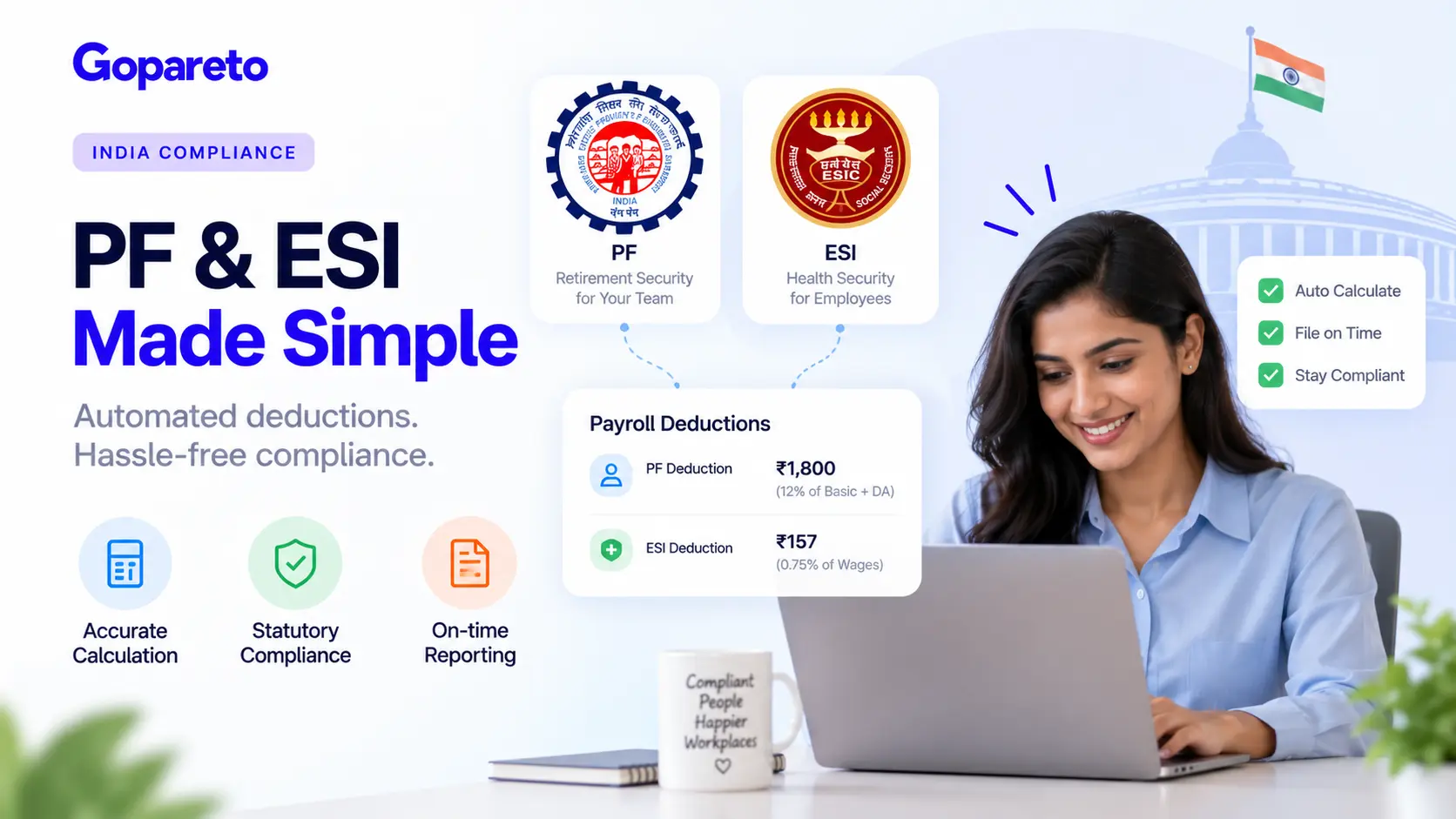
PF (Provident Fund) and ESI (Employee State Insurance) are mandatory statutory schemes for most private sector employees in India. Getting them right is critical for compliance, but many small business owners struggle with the complexity.
The calculation rules are intricate, the filing deadlines are strict, and penalties for non-compliance are steep. Yet when you have the right HRMS system, it becomes straightforward.
This guide shows you how to ensure PF and ESI compliance with HRMS automation in India.
What Are PF and ESI? Why They Matter
Before diving into the how-to, let’s understand what these programs are.
Provident Fund (PF)
PF is a retirement savings scheme. Both the employer and employee contribute.
Eligibility
- Applies to employees earning more than ₹15,000/month (as of 2024)
- Mandatory for 20+ employees
- Can be optional for smaller companies
Contributions
- Employee contributes: 12% of basic + DA
- Employer contributes: 12% of basic + DA (8.33% goes to PF, 3.67% to pension)
- Total: 24% of basic + DA per month
Why it matters
- It’s a legal requirement (penalties for non-compliance)
- Employees expect it (source of retirement savings)
- Mistakes create disputes with employees
- Late deposits are fined
Employee State Insurance (ESI)
ESI is a social security and health insurance scheme.
Eligibility
- Applies to employees earning less than ₹21,000/month
- Mandatory for 10+ employees
- Can be optional for smaller companies
Contributions
- Employee contributes: 0.75% of wages
- Employer contributes: 3.25% of wages
- Total: 4% of wages per month
Benefits provided
- Medical and hospitalization
- Disability benefits
- Maternity and paternity benefits
- Death benefits
Why it matters
- It’s a legal requirement
- Provides insurance coverage for employees
- Non-compliance is penalized
- Filing deadlines are strict
Step-by-Step: How to Ensure PF and ESI Compliance with HRMS
1. Verify Your Company’s Eligibility and Registration
First, determine if your company is required to contribute to PF and ESI.
PF Requirements
- 20+ employees? Mandatory
- 5-19 employees? Can opt out (but employee can request it)
- Less than 5 employees? Voluntary
ESI Requirements
- 10+ employees? Mandatory
- Less than 10 employees? Can opt out (but some states have different rules)
Actions
- Check your current employee count
- Register with EPFO (Employees’ Provident Fund Organization) if required
- Register with ESIC (Employees’ State Insurance Corporation) if required
- Get registration certificates and UAN/ESIC numbers
- Maintain these documents carefully
If you haven’t registered yet, do it immediately. Delayed registration is penalized.
2. Set Up Correct Salary Components in Your HRMS
PF and ESI calculations depend on which salary components are included. This is where errors often happen.
Components that count for PF
- Basic salary
- Dearness allowance (DA)
- All allowances (house rent, travel, etc.)
- Any recurring additions
- EXCLUDE: HRA, overtime, bonus, gratuity
Components that count for ESI
- All wages including basic, DA, all allowances
- EXCLUDE: Travel reimbursement, special allowances (if specified), medical allowance
In your HRMS
- Clearly label salary components
- Mark which are pensionable/insurable
- Ensure consistent calculations
Example:
| Component | Amount | PF | ESI |
|---|---|---|---|
| Basic | 20,000 | ✓ | ✓ |
| DA | 5,000 | ✓ | ✓ |
| HRA | 5,000 | ✗ | ✓ |
| Travel | 1,000 | ✓ | ✗ |
| Total Wages | 31,000 | 25,000 | 31,000 |
Correct salary structure setup is essential for accurate calculations.
3. Configure Automatic PF Calculations
Once salary structure is correct, set up automatic calculations.
Monthly PF calculation
- Identify PF-eligible components (basic + DA)
- Apply 12% employee contribution
- Apply 12% employer contribution
- If employee’s wages for the month exceed ₹50,000, there’s a ceiling on contributions
- Handle special cases (new joiner, separated employee, etc.)
Your HRMS should
- Calculate contributions automatically
- Apply salary ceiling rules
- Track cumulative PF for the financial year
- Handle pro-rata calculations
- Generate employee slips showing PF deduction
Key dates
- Contributions are due by the 15th of the following month
- Annual submission to EPFO by April
- Interest accrues if payments are late
When calculations are automatic, errors are minimized.
4. Configure Automatic ESI Calculations
ESI calculations are simpler than PF, but must be accurate.
Monthly ESI calculation
- Identify ESI-eligible wages (usually all wages if employee earns <₹21,000/month)
- Apply 0.75% employee contribution
- Apply 3.25% employer contribution
- If employee earns more than ₹21,000/month, ESI stops (they’re not covered)
Your HRMS should
- Calculate ESI contributions automatically
- Check wage ceiling (stop ESI if wage exceeds ₹21,000)
- Track ESI for the month and financial year
- Generate employee slips
Key dates
- Contributions are due by the 21st of the following month
- Monthly returns must be filed by the 25th
- Failure to file is penalized
5. Handle Special Situations Correctly
There are many special situations that affect PF and ESI. Your HRMS must handle them.
New joiners
- PF eligibility starts from the first month of employment
- ESI eligibility starts from the date of enrollment with ESIC
- Contributions are pro-rated based on days worked
Mid-month separation
- If employee leaves mid-month, PF/ESI are pro-rated
- Final settlement calculations are complex (involve notices, gratuity, etc.)
- Your HRMS should assist with these calculations
Maternity/paternity leave
- PF contributions continue based on basic salary (even if employee is on leave)
- ESI benefits apply (not deducted from wages during leave)
- Your HRMS should not stop PF/ESI for leave periods
Unpaid leave
- PF: If unpaid leave > 8 days/month, PF is not deducted
- ESI: If unpaid leave > 4 days/month, ESI is not payable
- Your HRMS must track leave and adjust accordingly
Revised salary
- If salary is revised mid-month, calculations are pro-rated
- If salary is revised with retroactive effect, recalculations are needed
- Your HRMS should handle retroactive adjustments
These special situations are common and your system must handle them correctly.
6. Generate Monthly Wage Roll and Verify Calculations
Before submitting to authorities, verify all calculations in your HRMS.
Monthly wage roll should show
- Employee name and ID
- PF account number (if applicable)
- ESI number (if applicable)
- Basic salary and DA
- Other components
- Total wages
- PF contribution (employee + employer)
- ESI contribution (employee + employer)
- Net pay
Verification process
- Generate wage roll in your HRMS
- Check for errors (missing entries, incorrect calculations)
- Verify total employee contributions match expected
- Verify total employer contributions match expected
- Check for any employees with errors
- Correct errors in the system
- Re-generate and verify again
This verification prevents errors from being submitted to authorities.
7. Maintain Accurate Records
Authorities require detailed records. Your HRMS should maintain these automatically.
Records to maintain
- Monthly wage rolls (for at least 3 years)
- PF deposits to EPFO (with acknowledgment)
- ESI deposits to ESIC (with acknowledgment)
- Employee PF statements
- Employee ESI statements
- Compliance certificates
- Any correspondence with authorities
Digital records are better than physical because:
- Easy to search and retrieve
- Less risk of loss or damage
- Easy to share with authorities if audited
- Timestamps show when created
Your HRMS should generate and store these automatically.
8. File Monthly and Annual Returns
Authorities require periodic filings. Setup reminders in your HRMS.
PF Filing
- Annual filing: Submit annual return to EPFO by April 30
- Employee passbook: Provide annual statement to each employee
- Address updates: File any address changes within 30 days
ESI Filing
- Monthly return: Submit by the 25th of each month (showing contributions)
- Annual return: Submit by May 30
- Corrections: File if any corrections needed
Your HRMS should
- Generate all required reports
- Alert you to filing deadlines
- Store filed documents
- Track filing status (submitted, acknowledged, etc.)
Late filings are penalized. Your HRMS should prevent this through alerts.
9. Handle Interest Accrual and Late Deposits
If deposits are late, interest accrues. Your HRMS should track this.
Late payment consequences
- Interest on late PF deposits (at EPFO-specified rates)
- Interest on late ESI deposits (at ESIC-specified rates)
- Penalties for late filing
- Director liability (in serious cases)
Your HRMS should
- Alert you if deposits are due
- Calculate interest if deposits are late
- Help you plan deposit schedules
- Track payment dates in bank records
Staying on top of deposits prevents accumulated interest.
10. Prepare for Audits and Compliance Checks
Authorities occasionally audit companies for PF/ESI compliance. Your HRMS should have everything ready.
What auditors look for
- Accurate wage rolls
- Timely deposits to authorities
- Correct calculations
- Proper employee coverage (no missed employees)
- Maintenance of records
- Compliance with rules
Your HRMS should provide
- Complete records for the audited period
- Summary of deposits and filings
- Employee details and coverage
- Calculation verification
- Attestation of accuracy
When your records are organized digitally in your HRMS, audits are straightforward.
Common Mistakes in PF and ESI Compliance
Incorrect salary structure setup
If salary components are set up wrong, calculations will be wrong. Get this right upfront.
Manual calculations
Manual PF/ESI calculations are error-prone. Use system automation.
Not keeping records
Without records, you can’t prove you’ve complied if audited. Keep everything.
Late deposits
Interest accrues quickly on late deposits. Pay on time.
Missed filings
Late or missed filings attract penalties. Set reminders.
Not handling special situations correctly
Leave, new joiners, salary changes, and separations require special handling. Don’t assume normal calculation rules apply.
Not updating rate changes
PF and ESI contribution rates change periodically. Your HRMS must be updated.
No verification before submission
Submitting incorrect calculations creates compliance issues. Verify before submitting.
Benefits of Automated PF and ESI Compliance
Automatic calculations eliminate manual errors
Reminders ensure filings happen on schedule
Your business stays within legal requirements
Accurate calculations and statements build trust
Avoiding penalties and interest saves money
Digital records make audits straightforward
Automation reduces HR administrative burden
How GoPareto Ensures PF and ESI Compliance
GoPareto’s payroll system is designed for India compliance:
Salary Structure Configuration
- Set up PF and ESI eligible components correctly
- System applies rules automatically
- Handles multiple salary structures
Automatic Calculations
- Monthly PF calculations with ceiling rules
- Monthly ESI calculations with wage limit
- Pro-rata calculations for new joiners and separations
- Handles leave impacts on contributions
Special Situation Handling
- New joiners: Pro-rata contributions
- Mid-month separation: Pro-rata and settlement
- Leave impact: Automatic adjustment
- Salary revisions: Retroactive calculations
Wage Rolls and Verification
- Generate monthly wage rolls
- Verify calculations before submission
- Employee slips with detailed breakdown
- Audit trail of all changes
Filing and Record Keeping
- Generate annual PF returns
- Generate monthly and annual ESI returns
- Maintain digital records
- Track filing status and deadlines
Alerts and Reminders
- Alert for filing deadlines
- Alert for deposit due dates
- Track compliance status
- Annual compliance checklist
Final Thoughts: Compliance Protects Your Business
PF and ESI compliance isn’t optional. It’s a legal requirement that protects your employees and protects your business.
When you automate PF and ESI with a good HRMS, compliance becomes straightforward. You pay on time, file on time, and maintain accurate records.
The cost of non-compliance (penalties, interest, legal issues) far exceeds the investment in a good system. Start with proper setup, use automation, and monitor your compliance regularly.
Ready to ensure PF and ESI compliance?
How GoPareto Helps
GoPareto’s payroll system handles all India compliance requirements automatically. Learn about GoPareto’s India payroll compliance features.
Request a DemoVisit Us
GoPareto - Simple & Complete Business Management solution, Omkar Nandan Apartment, A1 201, near Navale Bridge, Kudale Baug, Narhe, Pune, Maharashtra 411041.
Related Blogs