How to Manage Leave During Peak Business Seasons: Complete Strategy
September 17, 2026 | By Gopareto Marketing
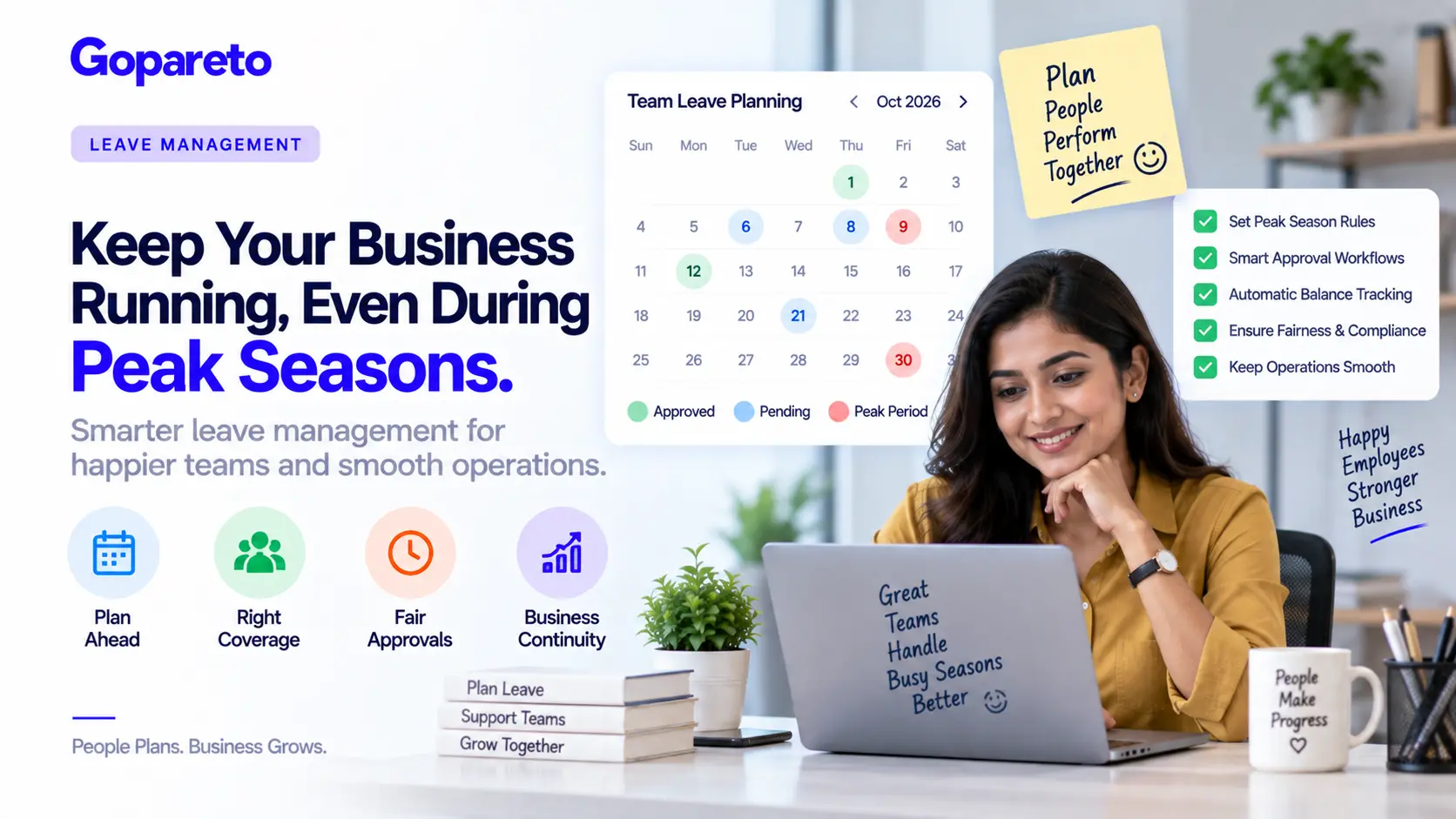
Peak business seasons are when your company makes money. They’re also when managing leave becomes a nightmare.
You’ve got orders piling up, customers calling, deadlines approaching—and half your team wants leave for holidays or family time. It’s the worst time to lose staff, yet you can’t deny employees their right to leave.
Most companies handle this badly. They either deny legitimate leave requests, violating labour law, or approve too many and watch operations collapse.
This guide shows how to balance employee rights with operational needs: approval workflows that control leave during peaks, intelligent coverage planning, and keeping staff happy even when you can’t approve every request.
Leave Rights vs Business Needs
The first step is understanding that employee leave is a legal right, not a privilege you grant.
What Employees Are Entitled To
| Leave type | Typical entitlement |
|---|---|
| Casual leave | 1 day per month, up to 12 days a year, for urgent personal matters |
| Earned leave | 15 days a year, accrued monthly, for holidays and vacation |
| Restricted holiday | 1 day a year, as per state rules |
| Privilege leave | 0–15 days a year, depending on company policy |
| Sick leave | 0–7 days a year for medical reasons, depending on policy |
| Maternity leave | 6 months or more, under the Maternity Benefit Act |
| Paternity leave | 2–5 days, company’s choice, increasingly offered |
| Bereavement leave | 2–5 days for a death in the family |
What you can require
- Advance notice, typically 7–14 days
- Proof of reason, such as a medical certificate for sick leave
- Denial where advance notice wasn’t given, with an emergency exception
- Blackout dates during critical periods, while still allowing some leave
What you cannot do
- Deny entitled leave without a serious operational emergency
- Require a negative leave balance
- Punish employees for taking legitimate leave
- Deny leave as retaliation
- Force employees to work during approved earned leave
The legal principle: employees can’t always get leave approved for the dates they want, but they have a right to accrue and use it. Your job is managing when they use it, not whether they get it.
Step 1: Define Your Peak Seasons
Your first move is identifying exactly when your peaks fall.
Retail and e-commerce
- Diwali, September to October
- Christmas, November to December
- New Year, December to January
- Summer sales, May to June
Manufacturing and logistics
- Peak orders, January–February and July–August
- Year-end, December to January
- Festival delivery seasons
- Post-holiday returns, January to February
IT and services
- Client busy seasons, which vary by account
- Project deadlines
- Financial year-end, March to April
Hospitality
- Vacation seasons, May–June and December–January
- Festival periods, October to November
- Christmas and New Year
Document Your Peak Calendar
| Month | Peak period | Severity | Staffing needed |
|---|---|---|---|
| Jan–Feb | Post-holiday rush, tax season | High | 90%+ |
| Mar–Apr | Financial year-end | High | 90%+ |
| May–Jun | Summer sales peak | Medium | 80% |
| Jul–Aug | Mid-year sales, new projects | Medium | 70–80% |
| Sep–Oct | Diwali season, festival orders | High | 90%+ |
| Nov–Dec | Christmas, year-end, peak sales | Critical | 95%+ |
For your own company, define which specific dates are peaks, the minimum staffing percentage, which roles are critical and cannot absorb absences, and which roles can flex.
Step 2: A Leave Request Process Built for Peaks
Standard approval doesn’t work during peaks. Outside peak periods, approval can be near-automatic when a balance exists. During peaks, add these checks.
Check the leave balance
Does the employee actually have leave to take? Have they taken recent leave? Avoid approving back-to-back absences where possible.
Assess operational impact
How many people are already on leave for those dates? What percentage of the team remains? Can operations run safely without this person?
Offer alternatives
Suggest dates before or after the peak. If the same person requests peak leave every year, note that a peer’s turn has come. For critical roles, ask whether five days can become three.
Document the decision
Record what was approved, who arranged coverage, and the expected return date—or exactly what was offered instead and why.
The critical rule
- Bad practice: “No leave approved during peak season.” This violates labour law and will cost you in disputes.
- Good practice: “During peak season we can approve 30% of the team for leave on any date, with three or more weeks’ notice.”
Step 3: Plan Coverage Before the Peak
Approval is only half the battle. Start coverage planning three to four weeks out.
Coverage planning sequence
- Map critical roles: customer service, warehouse and logistics, finance and accounting, development and design
- Identify back-ups: two or three people per critical role, cross-trained in advance
- Build a written coverage plan naming the primary and secondary cover for each absence
- Cross-train before the peak, with dry runs where the back-up covers for half a day
| Dates | Person on leave | Role | Primary cover | Secondary cover |
|---|---|---|---|---|
| Sep 15–19 | Amit | Support tickets | Priya, trained | Rajesh, backup |
| Sep 18–22 | Priya | Support tickets | Rajesh | Temporary contractor |
Don’t wait until someone is on leave to train their cover. Document critical procedures in the month before the peak.
Step 4: Allocate High-Demand Dates Fairly
When everyone wants the same dates, such as Diwali, you need a visible allocation method.
Rotation-based
- Peak leave rotates year to year. Fair, predictable, and it reduces conflict because everyone knows when their turn comes.
Seniority-based
- Senior employees get first choice. Simple to administer, but it can feel unfair to newer staff.
Lottery
- Names drawn randomly for peak slots. Completely removes favouritism, though it can feel arbitrary.
Balanced quota
- 30% of the team may take peak dates on a rotating basis, and 70% take non-peak dates. The usual best compromise.
Announce early and be transparent. “For peak season, December 15 to January 5, we can approve 30% of the team for leave. Submit requests by October 15. If several people request the same dates, we’ll allocate by the published rule.” When someone misses out, say exactly how many slots there were and what they can have instead.
Step 5: Approve With Conditions Instead of Denying
Request: five days during peak. Approval: two days during peak, extendable to five using adjacent non-peak dates.
Request: Dec 15–19. Approval: those are peak operations; Dec 12–14 or Dec 20–24 can be approved instead.
Request: leave during peak with nobody trained to cover. Approval: train a colleague by an agreed date, and the leave is approved.
Request: ten days during peak. Approval: possible if extended hours are worked for a week after return.
What not to do
- Say no without offering an alternative
- Approve leave and then blame the employee when operations struggle
- Approve for one person and deny an identical request from another
- Use leave denial as punishment
Step 6: Prevent Leave Clustering
Multiple people away at once creates chaos. Set an explicit policy: during peak seasons, no more than two people from the same team on leave simultaneously.
Enforce it by tracking approval dates. When a third request arrives for the same dates, respond with the alternatives rather than a flat no. Keep genuine exceptions: serious illness or a death in the family is always approved, as are court orders and legal requirements.
Step 7: Automate the Parts People Get Wrong
Visibility and balances
- Real-time view of who is available on any date
- Automatic balance checks that prevent overdrawing
- Conflict alerts before you approve a fourth absence
Workflow and reminders
- Requests routed to the right approver
- Peak-season rules requiring HR sign-off
- Handover reminders to the employee before leave starts
- Cover reminders to the manager the day before
Look for role-based approval workflows, peak-season date rules, coverage planning views, leave balance tracking, a full audit trail, and employee self-service. Our leave policy and compliance module covers all of this.
Step 8: Handle Denials Gracefully
Sometimes you do have to say no. How you say it matters.
The bad way
- “Your leave request for Dec 24 is DENIED.”
The good way
- Thank them for the request and name the peak window
- Offer option A: the same length before the peak
- Offer option B: two days inside the peak plus three outside
- Offer option C: a conversation about a modified plan
- Give a date by which you need their preference
Then follow up. Check in after the peak and thank them for adjusting. Note it for next year so they get priority. Consider a compensating day off or recognition.
FAQ: Leave During Peak Seasons
No. They have a legal right to accrued leave. You can manage timing, not deny it entirely.
You can’t deny it. If you suspect abuse, document the pattern—repeated sick leave adjacent to peaks is a red flag worth addressing separately.
Within reason, yes. Asking to move leave from peak to non-peak dates is reasonable when offered with enough notice.
It’s permitted, but it shouldn’t become pressure. Employees still have a right to their leave.
They can take only the leave they have accrued. After five or six months they will have accumulated some entitlement.
Conclusion
Managing leave during peak seasons is about balance: respecting employee rights while protecting operational needs. Employees who feel their requests are handled fairly are happier and more productive, and companies that plan coverage well don’t watch operations collapse.
Start today: identify your peaks, communicate clear policies, set up coverage plans, and automate the tracking.
Ready to master peak-season leave?
How GoPareto Helps
- Real-time team availability before you approve anything
- Automatic balance checks and clustering alerts
- Peak-season approval rules with HR sign-off
- Full audit trail of who approved what, and why
See also ensuring employees get their correct leave entitlements.
Request a DemoVisit Us
GoPareto - Simple & Complete Business Management solution, Omkar Nandan Apartment, A1 201, near Navale Bridge, Kudale Baug, Narhe, Pune, Maharashtra 411041.
Related Blogs