HRMS Software with Built-In DPDP Compliance for India: Employee Data Protection
September 14, 2026 | By Gopareto Marketing
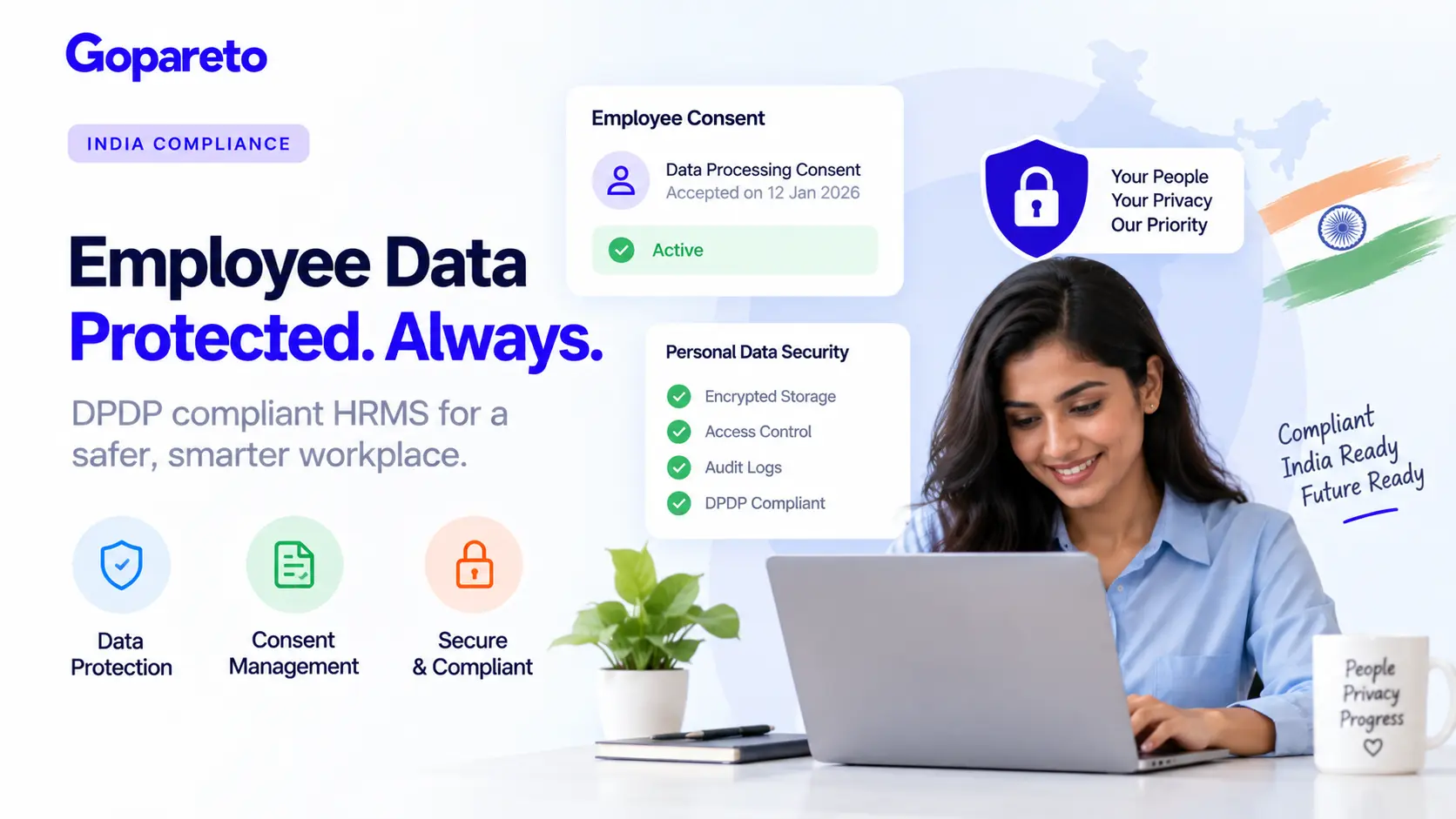
In 2023, India introduced the Digital Personal Data Protection Act (DPDP), a groundbreaking privacy law. Starting September 2024, businesses must comply or face penalties.
Many business owners haven’t heard of DPDP, and fewer still understand what it means for their HRMS software. Yet compliance is mandatory.
This guide explains what DPDP is, why it matters, and how to choose HRMS software with built-in DPDP compliance for India.
What Is DPDP? Why It Matters
The Digital Personal Data Protection Act, 2023 is India’s equivalent to Europe’s GDPR. It regulates how organizations handle personal data.
Key Principles
You can only use personal data for the purpose disclosed to the person (employee).
Collect only the data you actually need. Don’t hoard personal information.
You must have valid consent from the person before collecting and processing their data.
You must protect personal data from unauthorized access or loss.
People have the right to know what data you hold and how you use it.
People can request corrections to their personal data.
Under certain conditions, people can request their data be deleted.
Why DPDP Matters for HRMS
Your HRMS contains sensitive employee data:
- Full name, email, phone number
- Home address
- Aadhar or PAN numbers
- Bank account details
- Health information (if you track medical leaves)
- Family information (spouses, children for benefits)
- Performance reviews and salary information
- Background check results
All of this is personal data covered by DPDP. If you handle it incorrectly, you’re at risk.
Penalties for Non-Compliance
The penalties are significant:
- Up to ₹250 crore or 5% of global turnover (whichever is greater) for major violations
- Imprisonment of officers in serious cases
- Reputational damage and loss of customer trust
These penalties make DPDP compliance critical, not optional.
How DPDP Affects Your HRMS
If you’re using HRMS software, DPDP compliance depends on both you and the vendor.
Your responsibility
- Obtaining valid consent from employees before collecting data
- Using data only for purposes disclosed
- Limiting data collection to what’s necessary
- Ensuring employees can access and correct their data
- Notifying employees of data breaches
Your HRMS vendor’s responsibility
- Protecting data with strong security
- Honoring data protection requests
- Maintaining audit logs
- Supporting your compliance efforts
An HRMS with built-in DPDP compliance makes this much easier.
Step-by-Step: How to Achieve DPDP Compliance With HRMS
1. Choose HRMS Software With Built-In DPDP Compliance
Not all HRMS software has DPDP features. When selecting, ask:
Data Collection and Consent
- Does the system collect employee consent for data collection?
- Can you define purpose categories (payroll, benefits, etc.)?
- Can you track when consent was given?
- Can employees view what data you hold on them?
Data Security
- Is data encrypted at rest and in transit?
- Are backups secure?
- Who has access to personal data?
- Are there audit logs of who accessed data and when?
Data Rights
- Can employees request corrections to their data?
- Can employees request their data in a portable format?
- Can data be deleted on request (where legally permissible)?
- Does the system track these requests?
Compliance Features
- Does it help you document your data handling?
- Can it generate compliance reports?
- Does it help you respond to regulatory inquiries?
- Does it track data breach notifications?
If the HRMS doesn’t have these features, you’ll need to manually manage DPDP compliance—which is difficult and error-prone.
2. Obtain Valid Employee Consent
Before collecting any personal data, get valid consent.
Consent must be
- Explicit (not implied or assumed)
- Informed (employee understands what they’re consenting to)
- Specific (tied to a specific purpose)
- Freely given (not a condition of employment, unless data is necessary for the job)
What to collect consent for
- Basic employment data (name, contact, employment terms)
- Payroll and tax data (salary, bank account, tax ID)
- Benefits data (health insurance, emergency contacts)
- Performance data (review scores, training records)
- Attendance and leave data
- Compliance monitoring (background checks, certifications)
How to get consent
- Create a consent form in your HRMS
- Describe each category of data and its purpose
- Have employees acknowledge consent when joining
- Store consent records in your HRMS
- Update consent if purposes change
Your HRMS should generate and track these consent records.
3. Limit Data Collection to What’s Necessary
Collect only data you actually need for business purposes. Extra data creates security risk.
Example of what’s necessary
- Name (yes, need it for employment)
- Email and phone (yes, need it for contact)
- Aadhar (yes, needed for PAN/TAN compliance)
- Home address (yes, needed for postal mail and emergency contact)
- Spouse’s name (only if claiming spouse as dependent for benefits)
- Spouse’s Aadhar (no, not necessary)
- Children’s names (only if claiming as dependents)
- Children’s exact dates of birth (no, age for eligibility is sufficient)
Don’t collect "nice to have" data. Stick to business necessity.
Your HRMS should clearly show what data is being collected and why.
4. Define Data Retention Periods
Don’t keep data forever. Define how long you need each category.
Typical retention periods
- Current employee data: Duration of employment + 3-5 years (statutory requirement)
- Payroll records: 7 years (income tax requirement)
- Background checks: 7 years (employment verification)
- Performance reviews: 3-5 years after employment ends
- Medical/sensitive data: Minimal period needed
Your HRMS should
- Auto-delete data after retention period expires (or allow deletion on request)
- Alert you before auto-deletion
- Maintain deletion logs
When data is deleted on schedule, you reduce security risk and comply with DPDP’s data minimization principle.
5. Implement Strong Data Security
DPDP requires you to protect personal data from unauthorized access.
Security measures
- Encryption: Data encrypted at rest (on servers) and in transit (over internet)
- Access control: Only authorized people can access personal data
- Audit logs: Track who accessed what data and when
- Regular backups: In case of system failure or data loss
- Password policies: Strong, unique passwords for each person
- Two-factor authentication: Extra protection for sensitive data access
Your HRMS should provide
- Encryption by default
- Role-based access control (e.g., HR can see salary, managers cannot)
- Full audit logs of data access
- Automated backups with encryption
- Password policy enforcement
If your HRMS doesn’t have these security features, you’re at risk.
6. Enable Employee Data Access and Portability
DPDP requires that employees can:
- See what personal data you hold on them
- Get their data in a portable format
- Request corrections to inaccurate data
Your HRMS should allow employees to
- View their personal data (through a self-service portal)
- Download their data in standard format (CSV, PDF)
- Request corrections (which go through approval)
- See how their data is used
This transparency is powerful—it builds trust and helps employees understand privacy.
7. Handle Data Breaches Properly
If personal data is compromised (hacked, leaked, etc.), you have legal obligations.
You must
- Notify the data subject (employee) without unreasonable delay
- Notify the DPDP authority if it’s a serious breach
- Maintain breach notification records
- Conduct breach investigation
Your HRMS should help by
- Detecting unauthorized access (audit logs)
- Alerting you immediately to suspicious activity
- Facilitating breach notifications
- Maintaining breach records
A good HRMS with audit logging can help detect and respond to breaches.
8. Create a Data Protection Policy
Document your data handling practices.
Your policy should cover
- What personal data you collect and why
- How you use the data
- Who has access
- How long you keep it
- How you protect it
- What rights employees have
- How to contact you about privacy
Your HRMS should help you generate and maintain this policy.
9. Track Compliance Across the Organization
Assign responsibility for DPDP compliance.
Actions
- Designate a Data Protection Officer or compliance owner
- Conduct regular DPDP compliance audits
- Train employees on data protection
- Review vendor agreements (your HRMS vendor must also be DPDP compliant)
- Document all compliance efforts
Your HRMS should provide reports showing:
- Consents collected and on file
- Data access logs
- Deletion records
- Policy acknowledgments
- Training completion
10. Stay Updated With Regulation Changes
DPDP rules are still evolving. Stay informed.
What to monitor
- Regulatory updates from DPDP Authority
- Guidance documents and clarifications
- Court rulings and enforcement actions
- Changes to industry practices
Your HRMS vendor should keep features updated with regulatory changes.
Common DPDP Mistakes Companies Make
Not obtaining consent
Many companies collect data without explicit consent. This is a violation. Get consent first.
Collecting unnecessary data
Some companies collect "nice to have" data. Stick to business necessity.
Keeping data too long
If you keep employee data for 10 years after they leave, you’re violating data minimization. Define retention periods.
Weak security
If personal data isn’t encrypted or access-controlled, you’re at risk. Implement strong security.
Not documenting consent
Without records of consent, you can’t prove you had permission. Document everything.
Not responding to employee requests
If an employee requests access to their data or asks for deletion, you must respond. Have a process.
No breach response plan
If a breach happens and you don’t respond properly, penalties are higher. Have a plan.
Sharing data without consent
If you share employee data with third parties without consent, you’re violating DPDP. Only share when consented.
How DPDP Benefits Your Business
Avoiding penalties and legal issues
Employees trust you when their data is protected
Privacy-conscious employees prefer compliant companies
Proper data protection reduces breach risk
Only collecting necessary data means cleaner data
Proper data governance makes HR operations smoother
How GoPareto Supports DPDP Compliance
GoPareto’s HRMS is built with DPDP compliance in mind:
Consent Management
- Collect and track employee consent
- Define purpose categories
- Generate consent records
- Support consent withdrawal
Data Access and Portability
- Employees can access their personal data
- Download data in portable format
- Request and track corrections
- Audit trail of all requests
Data Security
- End-to-end encryption
- Role-based access control
- Comprehensive audit logs
- Secure backups
Data Retention and Deletion
- Define retention policies per data category
- Auto-delete or flag for manual deletion
- Maintain deletion records
- Support DPDP compliance reporting
Breach Response
- Detect suspicious access patterns
- Alert on potential breaches
- Maintain breach notification records
- Support compliance reporting
Compliance Documentation
- Generate privacy policy templates
- Document data handling practices
- Maintain compliance records
- Provide compliance reports for audits
Final Thoughts: Privacy Is a Competitive Advantage
DPDP compliance isn’t just a legal requirement—it’s an investment in trust. Employees who know their data is protected are more loyal and satisfied.
Companies that take privacy seriously stand out in the market. They attract better talent and win customer confidence.
Start by choosing HRMS software with built-in DPDP compliance. Then implement proper consent, security, and data handling practices. Make data protection a core part of your culture.
When you handle employee data responsibly, everyone benefits.
Ready to achieve DPDP compliance?
How GoPareto Helps
GoPareto’s HRMS is built with India’s privacy law in mind. Learn about GoPareto’s DPDP compliance features.
Request a DemoVisit Us
GoPareto - Simple & Complete Business Management solution, Omkar Nandan Apartment, A1 201, near Navale Bridge, Kudale Baug, Narhe, Pune, Maharashtra 411041.
Related Blogs